tmux 弹窗功能与 fzf 高效搜索集成指南
1. 功能简介
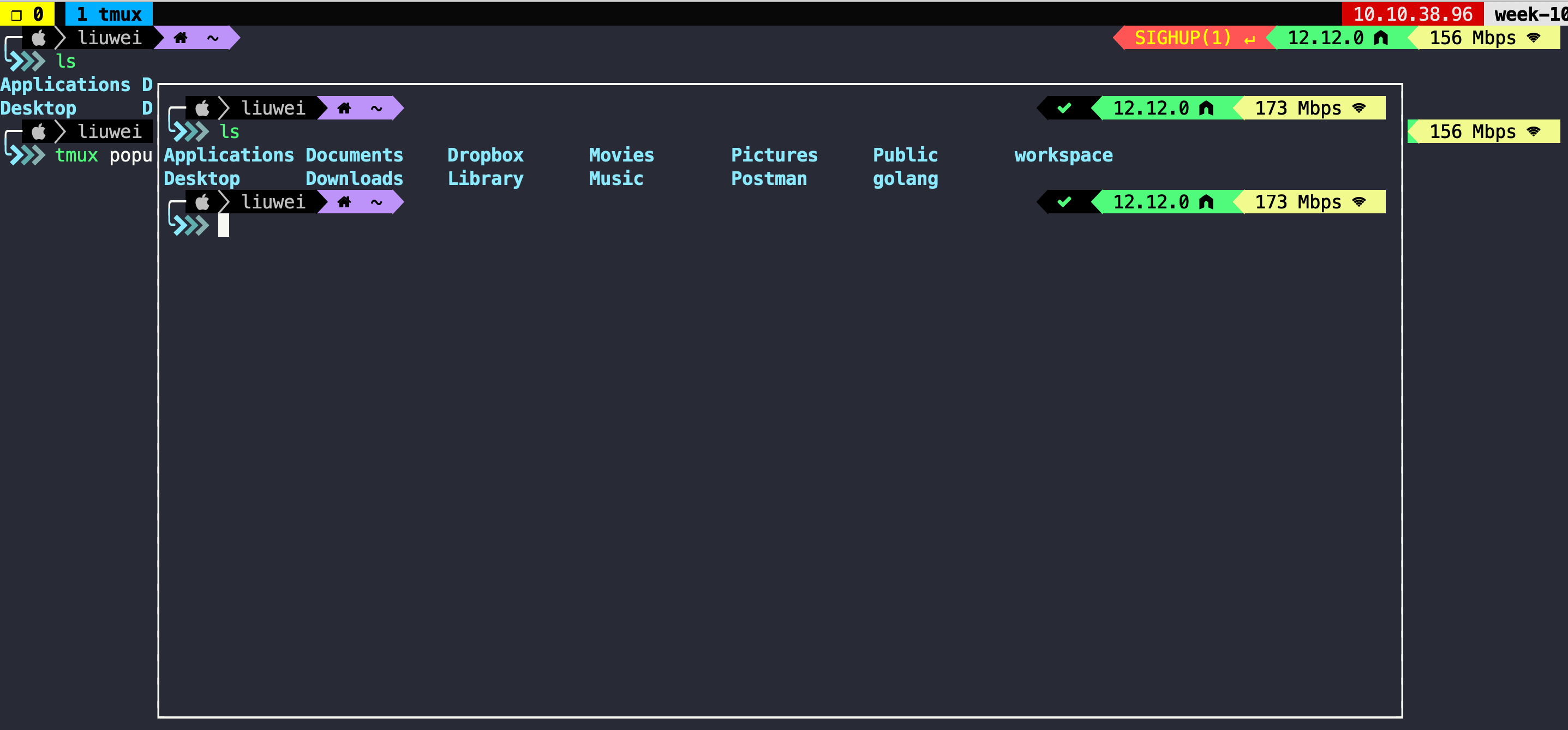
tmux 3.2 版本引入了强大的 Popup(弹窗)功能,允许用户在当前会话之上悬浮显示一个新的 pane。结合 fzf(命令行模糊搜索工具),我们可以在不离开当前工作上下文的情况下,快速进行文件搜索、命令执行或会话切换。
2. 环境配置
2.1 升级 Tmux
Popup 功能要求 tmux 版本不低于 3.2。首先检查当前版本:
1 | tmux -V |
若版本过低,建议通过源码编译安装最新版:
1 | # 下载 release 包 (推荐使用最新稳定版) |
注意:升级后若启用了
tmux-resurrect插件,旧的 session 可能会卡死。建议在升级前把 session 杀完后再tmux kill-server
2.2 基础弹窗用法
使用 display-popup 命令(简写为 popup)即可呼出弹窗。
示例:弹出一个宽高均为 80% 的浮窗
1 | tmux popup -w 80% -h 80% |
推荐别名配置
在 .tmux.conf 或 shell 配置文件中添加别名以提高效率:
1 | # 快速呼出空白弹窗 |
3. Fzf-tmux (在弹窗使用 fzf)
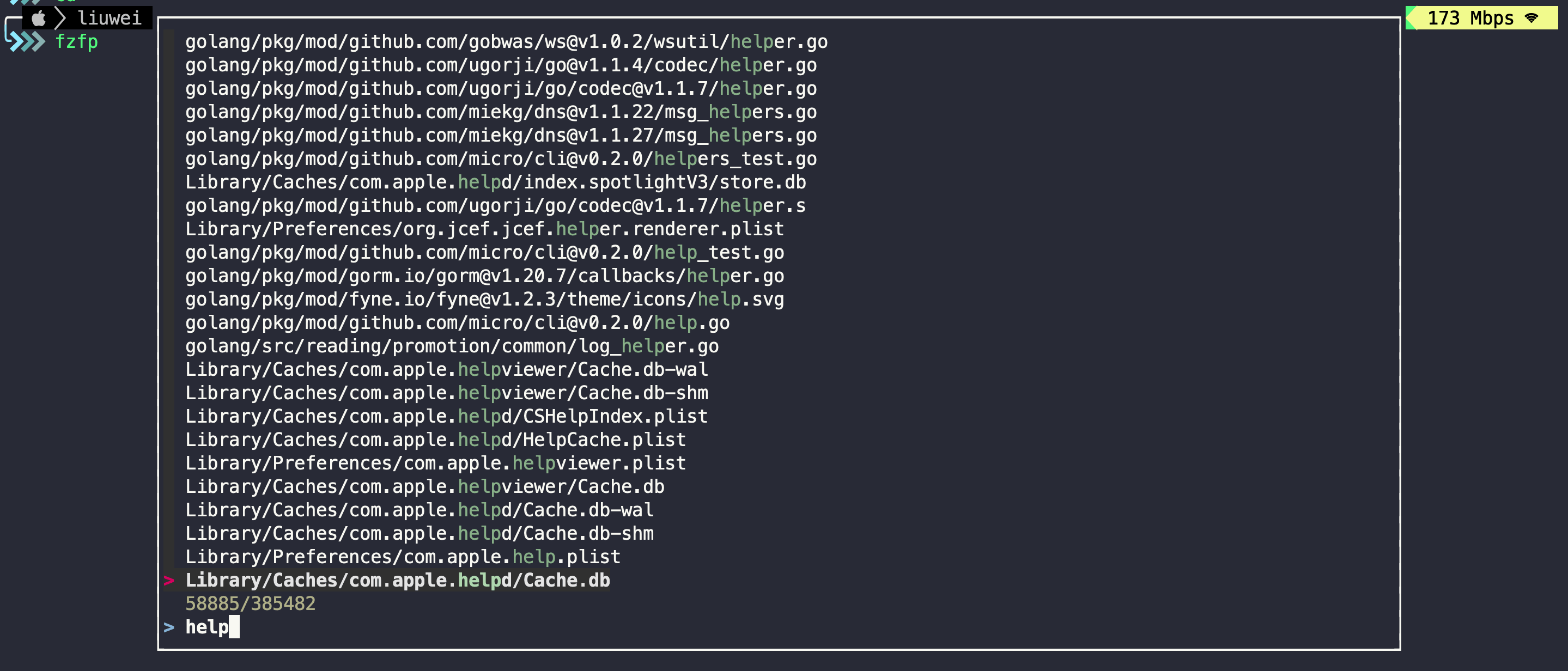
我们可以编写脚本,使 fzf 在 tmux 弹窗中运行,从而获得更好的视觉体验。
3.1 脚本逻辑
该脚本 (fzfp) 智能判断当前环境:若满足条件则在 tmux 弹窗中运行 fzf,否则降级为普通 fzf。
%%{init: {'theme': 'base', 'themeVariables': { 'primaryColor': '#4F46E5', 'primaryTextColor': '#fff', 'primaryBorderColor': '#3730A3', 'lineColor': '#6366F1', 'secondaryColor': '#10B981', 'tertiaryColor': '#F59E0B'}}}%%
flowchart TD
    Start("脚本开始") --> CheckFZF{"检查 fzf 是否安装"}
    CheckFZF -- "否" --> Error("报错退出")
    CheckFZF -- "是" --> CheckNested{"是否在嵌套弹窗中?"}

    CheckNested -- "是" --> RunNormal["直接运行 fzf"]
    CheckNested -- "否" --> CheckVer{"tmux 版本 >= 3.2?"}

    CheckVer -- "否" --> RunNormal
    CheckVer -- "是" --> Prep["准备管道/临时文件"]
    Prep --> Popup["启动 tmux popup"]
    Popup --> RunInPopup["在弹窗中运行 fzf"]
    RunInPopup --> Output["输出结果"]

    classDef primary fill:#4F46E5,stroke:#3730A3,color:#fff
    classDef success fill:#10B981,stroke:#059669,color:#fff
    classDef warning fill:#F59E0B,stroke:#D97706,color:#fff
    classDef danger fill:#EF4444,stroke:#DC2626,color:#fff

    class Start,Prep,Popup,RunInPopup primary
    class CheckFZF,CheckNested,CheckVer warning
    class RunNormal,Output success
    class Error danger
3.2 安装脚本
将以下脚本保存为 fzfp(fzf popup),并添加执行权限 (chmod +x fzfp),确保其所在目录在 $PATH 中(如 ~/.local/bin)。
1 |
|
3.3 配置 Shell 集成
在 .zshrc 或 .bashrc 中添加辅助配置,防止在已经处于 popup 的 session 中再次尝试弹出 popup(避免递归错误)。
1 | if [[ -n $TMUX_PANE ]] && (( $+commands[tmux] )) && (( $+commands[fzfp] )); then |
效果演示:
4. Tmux-fzf 插件 (fzf 管理 tmux)
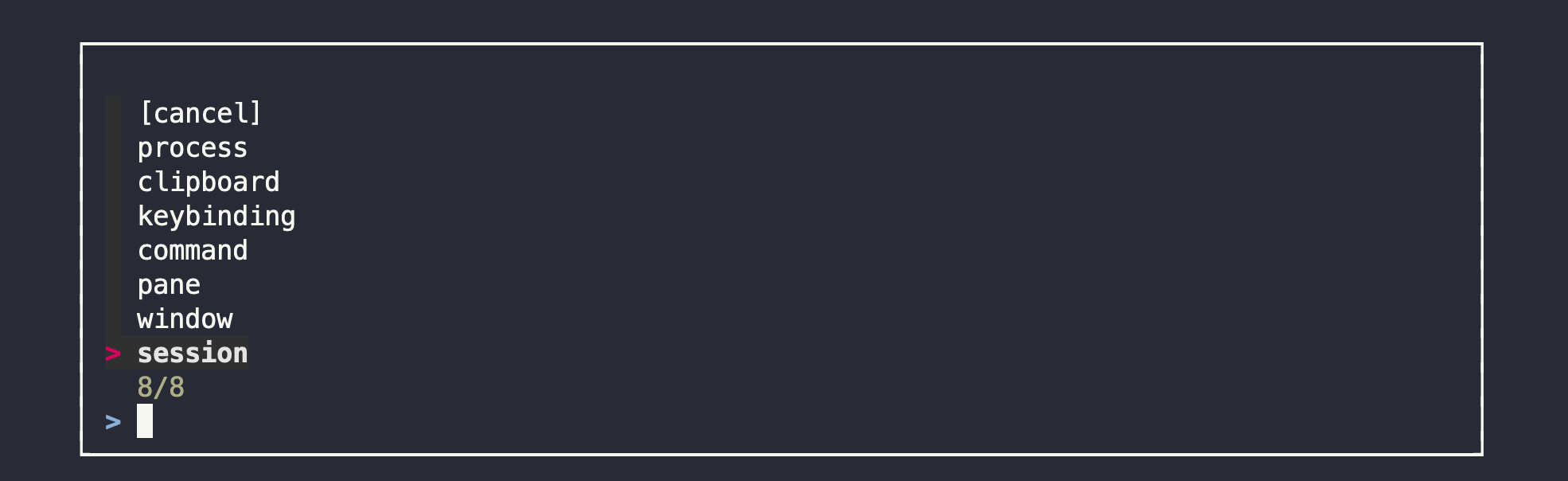
可以使用 tmux-fzf 插件来管理 tmux 自身的环境(如切换 session、window 等),它完美支持 popup 模式。
4.1 安装配置
TPM 安装方式
在 ~/.tmux.conf 中添加:
1 | set -g @plugin 'sainnhe/tmux-fzf' |
按下 prefix + I 安装插件。
4.2 使用
默认快捷键为 prefix + F。按下后将弹出一个管理菜单,可快速进行会话切换、窗口管理等操作。
5. Tmux Menu
Tmux 的 display-menu 是一个轻量级菜单能力,适合“选一个就走”的场景。
常见用法:
- 右键菜单:tmux 默认右键就是
display-menu,在 pane 上右键可以看到菜单。 - 状态栏点击:点击状态栏上的 session 或 window 名,可以弹出切换菜单。
- 快捷操作面板:把常用命令收进一个入口,例如新建窗口、切换 session、重载配置。
- 危险操作确认:比如 kill pane 前弹一个“确认/取消”菜单。
它和 popup + fzf 的边界是:
| 能力 | 适合场景 |
|---|---|
display-menu | 固定选项、低交互、选完即执行 |
display-popup + fzf | 搜索、预览、过滤、复杂交互 |
所以菜单适合做常用操作入口;如果需要搜索文件、预览内容或模糊匹配,还是用 popup + fzf。